Your cell phone is one of the most powerful tools you can carry on the trail. It maps your route, snaps stunning photos, and can call for help when things go sideways. But out in the backcountry, spotty signal and draining batteries change the rules.
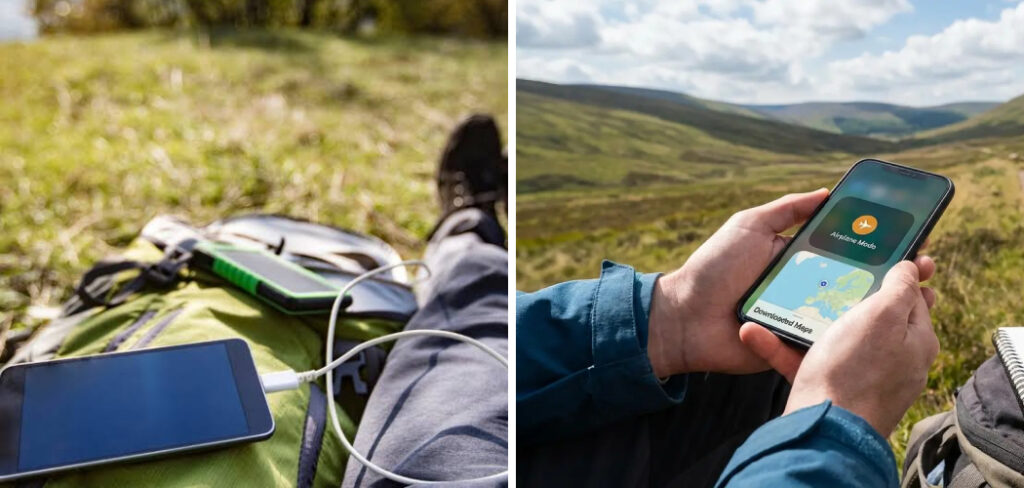
Learning how to use your cell phone while hiking means treating it like real gear, not just a habit from home. Used well, it becomes a reliable navigator, camera, and safety line all in one. Used poorly, it dies halfway up the climb and leaves you guessing. This guide walks first-time hikers through smart, practical ways to get the most from your phone on every adventure, so you stay safe, connected, and free to enjoy the view.
Why Using Your Cell Phone While Hiking Matters
Your phone does far more than take pictures on the trail. It holds offline maps, tracks your GPS position, and stores emergency contacts you may need in a pinch. For campers and outdoor beginners, that adds up to real peace of mind.
Getting lost is one of the most common trail troubles, and a well-prepared phone helps you find your way back fast. It shows exactly where you stand, even without signal, so you can retrace your steps with confidence.
There’s also the safety angle. A charged phone can summon help during an injury or sudden storm. When you know how to protect its battery and signal, you turn a simple gadget into a dependable trail companion that quietly watches your back.
Tools and Materials You’ll Need
A little preparation goes a long way before you hit the trail. Here’s what to gather first:
- Your smartphone with a fully charged battery and a durable, rugged case
- A power bank to top up your battery on longer routes
- A short charging cable that matches your phone
- A reliable GPS or offline maps app downloaded before you leave home
- A waterproof pouch or sleeve to shield your phone from rain and dust
- A screen protector to guard against scratches and cracks
- Optional: a phone lanyard or belt clip for quick, secure access while you move
Keep everything easy to reach so you’re not fumbling through your pack mid-hike. Smart packing means your phone stays ready the moment you need directions, a photo, or a quick safety check.
8 Step-by-Step Guide on How to Use Your Cell Phone While Hiking
Step 1 – Download Offline Maps Before You Leave
Signal fades fast once you leave paved roads, so prepare while you still have solid Wi-Fi. Open your favorite navigation app and download the offline maps for your entire route and the surrounding area.
Zoom in on trailheads, junctions, and water sources so those details save clearly. A good offline map works without any bars, guiding you by GPS alone.
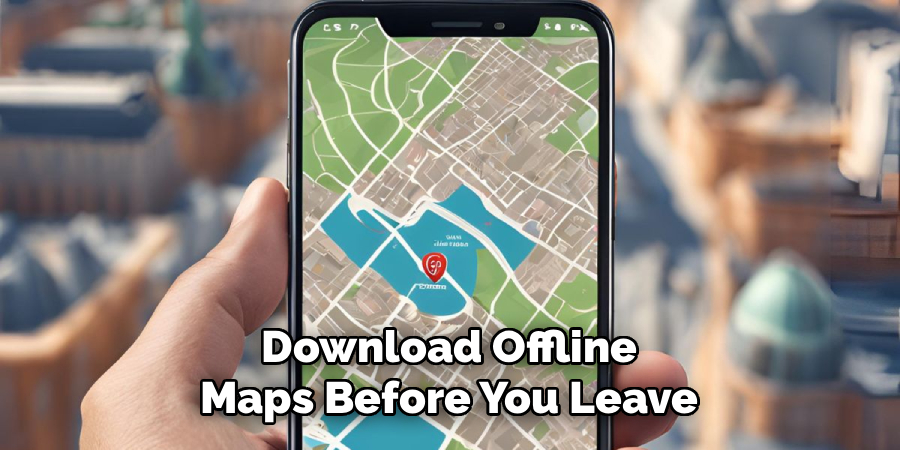
Test it before you go. Switch your phone to airplane mode at home and confirm the map still loads and tracks your position. Learning how to use your cell phone while hiking starts with this simple habit, because a map you can’t open in the backcountry helps no one. Two minutes of prep now saves you real stress later on the trail.
Step 2 – Charge Everything the Night Before
Nothing derails a hike like a dead phone at the summit. The evening before, plug in your phone, your power bank, and any spare batteries you plan to bring.
Let them reach a full charge overnight rather than rushing a top-up in the morning. A power bank at 100 percent can recharge most phones two or three times, which covers even long day hikes comfortably.
Feel the weight of a full setup in your pack and rest easy knowing you have backup. Cold mountain air drains batteries faster than you’d expect, so extra power is never wasted. Coil your charging cable neatly and tuck it beside the power bank so the two travel together and stay easy to grab.
Step 3 – Protect Your Phone from the Elements
Trails throw dust, rain, and hard knocks at your gear. Slide your phone into a rugged case and, if the forecast looks wet, a waterproof pouch too.
Water and electronics don’t mix, and a sudden downpour can ruin an unprotected phone in seconds. A sealed sleeve keeps moisture out while still letting you tap the screen through the clear plastic.
Add a screen protector to fend off scratches from sand, twigs, and the occasional drop onto rock. Feel that reassuring grip of a textured case in your hand, especially when your fingers get cold or sweaty. Good protection means your phone survives the whole trip, not just the easy first mile.
Step 4 – Switch to Battery-Saving Mode
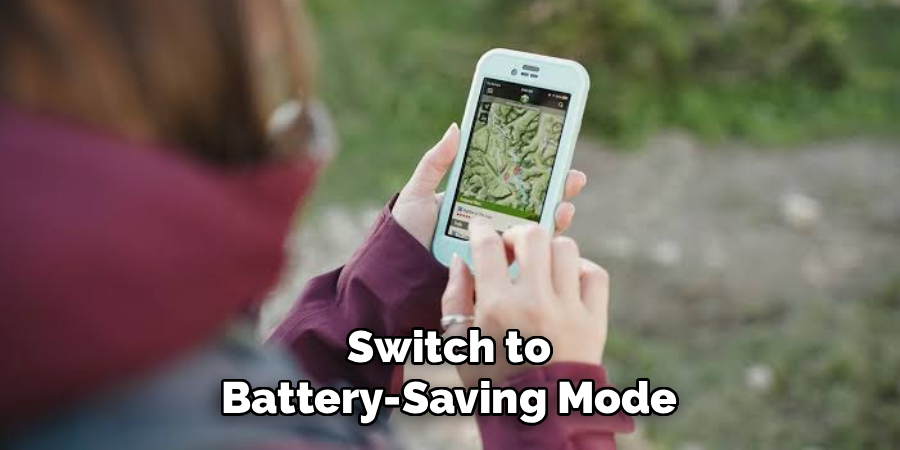
Once you’re on the trail, stretch your battery life as far as it will go. Turn on your phone’s low-power or battery-saver mode right away.
Dim the screen brightness, close background apps, and turn off features you won’t use, like Bluetooth. These small tweaks add hours of runtime over a full day of hiking.
In areas with no coverage, switch to airplane mode. Your phone burns power hunting for a signal it can’t find, and cutting that search preserves precious battery. Your GPS still works in airplane mode, so navigation keeps running smoothly. You’ll notice the difference by afternoon when your phone still shows plenty of charge instead of blinking a warning at you.
Step 5 – Set Up Emergency Contacts and SOS
Before the trail swallows your signal, prepare your phone for emergencies. Add your emergency contacts to your lock screen and enable your phone’s built-in SOS feature.
Most modern phones can send a distress message with your location by pressing the power button a few times. Practice the gesture at home so it feels automatic under stress.
Share your hiking plan and route with a friend or family member too. Tell them when you expect to return, so someone raises the alarm if you don’t check in. Knowing how to use your cell phone while hiking includes these safety steps, because the right setup turns your phone into a genuine lifeline when the unexpected happens on a remote stretch of trail.
Step 6 – Navigate Confidently on the Trail
With your offline maps ready, use them to stay on course as you walk. Glance at your GPS position at junctions to confirm you’re heading the right way.
Hold your phone steady and let the little blue dot show exactly where you stand. Compare that against the marked trail and adjust before you wander off route.
Resist the urge to check it constantly, though. Frequent glances drain your battery and pull your eyes away from the beautiful scenery around you. Instead, check at key decision points and trust the trail between them. When the path splits or a sign seems unclear, your phone settles the question fast, keeping your hike smooth, safe, and stress-free.
Step 7 – Capture Photos Without Wasting Power
Your phone camera turns fleeting moments into lasting memories, but shooting drains the battery quickly. Be intentional about your shots to balance photos with power.
Keep the phone in your pocket between scenes rather than leaving the camera app open. Fire it up, frame the shot, capture it, then close the app to save energy.
Watch for that soft golden light in early morning and late afternoon, when landscapes glow their best. A steady grip and a quick tap on your subject keep photos sharp even on the move. Skip the flash, since it eats battery and rarely helps outdoors. This mindful approach lets you document your adventure while keeping enough charge for navigation and safety.
Step 8 – Manage Power for the Return Trip
Halfway through your hike, take stock of your remaining battery. The return journey needs power too, especially if you rely on GPS to find your way back.
If your charge dips below half, plug in your power bank for a quick top-up during a snack break. Rest your phone in a warm inner pocket when temperatures drop, since cold saps battery life dramatically.
Keep it in airplane mode until you truly need a signal. A little discipline here ensures your phone lasts from trailhead to trailhead. Feel that quiet confidence of finishing your hike with charge to spare, ready for one last summit photo or a safety call if you need it.
Common Mistakes When Using Your Cell Phone While Hiking
Even careful hikers slip into the same traps, and most are simple to avoid once you spot them. The most common mistake is assuming you’ll have signal on the trail. Coverage vanishes quickly in valleys, forests, and remote peaks, so relying on live maps leaves you stranded. Always download offline maps before you leave home.
Another frequent error is ignoring battery management. Hikers keep their screen bright, leave Bluetooth on, and let the phone hunt endlessly for a signal. By midday, the battery is gone, and so is their navigation. Switching to battery-saver and airplane mode early prevents this entirely.
Many beginners also skip proper protection. A single drop onto rock or a surprise rain shower can kill an unprotected phone. A rugged case and waterproof pouch cost little and save your device.
Then there’s the constant checking. Staring at your screen every few minutes drains power fast and, worse, pulls your attention from the trail, raising your risk of a stumble. Finally, plenty of people forget to tell anyone their plans. Sharing your route and return time with a friend is a free, vital safety net that too many hikers overlook.
Expert Tips
Want your phone to work harder for you out there? Start by carrying it close to your body in cold weather. Batteries hate the cold, and an inner jacket pocket keeps yours warm and running longer.
Learn one navigation app well rather than juggling several. When you know its offline features by heart, you move faster and second-guess yourself less at confusing junctions.
Set your phone to record your track as you hike. If you ever feel lost, you can simply follow your own path back to safety, step by step.
Finally, keep a small portion of battery in reserve at all times. Treat that last 20 percent as emergency-only power, saved for a safety call or a crucial map check when it matters most.
Frequently Asked Questions
Will my phone work without cell signal on the trail?
Yes, for many tasks. Your GPS receiver works independently of cell towers, so navigation with offline maps functions even in remote areas with zero bars. You just need to download those maps before you lose signal. Calls and texts, however, require coverage. That’s why sharing your route beforehand and carrying a charged power bank matters so much when you head into the backcountry.
How can I make my phone battery last all day?
Switch on battery-saver mode and lower your screen brightness right from the start. Turn on airplane mode in no-coverage zones so your phone stops draining power searching for a signal. Close background apps, skip the flash when taking photos, and keep the phone warm in cold weather. Carrying a fully charged power bank gives you a reliable safety net for longer routes.
Do I need a special app for hiking navigation?
A dedicated GPS or hiking app helps enormously, though your phone’s built-in maps can work in a pinch. Look for an app that lets you download offline maps and record your track. These features guide you without signal and let you retrace your steps if needed. Learn its main functions at home first, so navigating feels natural once you’re actually out on the trail.
How do I protect my phone from rain and drops?
Use a rugged, shock-absorbing case as your first line of defense against drops onto rock or dirt. For wet weather, slip your phone into a waterproof pouch that still lets you tap the screen. Add a screen protector to guard against scratches from sand and branches. These inexpensive accessories keep your device working through rain, dust, and the occasional tumble on rough terrain.
Should I keep my phone on during the whole hike?
Keep it on, but in airplane mode when you have no coverage. This preserves battery while your GPS keeps tracking your position. Turning the phone fully off saves more power, yet it also delays your response in an emergency and interrupts route recording. A middle path works best: leave it on, minimize power drain, and check it only at key moments.
Conclusion
Your cell phone can be one of your best trail companions when you treat it with care. The key is preparation. Download offline maps, charge your phone and power bank fully, and protect your device from rain, dust, and drops before you set out. On the trail, switch to battery-saver and airplane mode to stretch your battery life, and set up emergency contacts so help is always a few taps away.
Navigate at key junctions instead of staring at your screen, capture photos mindfully, and keep a reserve of power for the trip home. Steer clear of the common mistakes, like assuming you’ll have signal or forgetting to share your route with someone you trust.
Now that you understand how to use your cell phone while hiking, you’re ready to explore with confidence. Your phone becomes a navigator, a camera, and a safety line rolled into one. Pack it smart, use it wisely, and head for the trail knowing you’re prepared for whatever the adventure brings.

About Caleb
Caleb Merritt is a Virginia-based outdoor writer and gear analyst who has spent over a decade sleeping on the ground, crossing mountain passes, and obsessively shaving grams off his pack weight. He holds a Bachelor of Science in Environmental Science from James Madison University, where he also served as president of the university’s outdoor recreation club. After graduating, he spent three years as a wilderness educator with a backcountry youth program in the Shenandoah Valley — teaching Leave No Trace ethics, backcountry navigation, and campcraft — before moving into full-time writing in 2018.
His work focuses on one core belief: the best gear is the gear you understand. Whether he’s doing a side-by-side weight comparison of ultralight shelters or writing a beginner’s guide to building a sub-20-lb base weight kit, Caleb writes with the same directness you’d expect from a trusted trail partner. He has logged more than 4,000 miles across iconic routes including the John Muir Trail, the Wind River Range, Vermont’s Long Trail, and the Collegiate Peaks Loop in Colorado.
Areas of Expertise
- Ultralight backpacking systems and base weight optimization
- Tent, tarp, and shelter testing across three-season and shoulder-season conditions
- Sleeping bag and quilt temperature rating verification
- Backpacking nutrition, meal planning, and calorie-per-ounce analysis
- Leave No Trace principles and wilderness ethics
- Campfire safety, bear country protocols, and water treatment methods
- Gear care, repair, and long-term durability assessment
Education
James Madison University — B.S. in Environmental Science, 2015
During his time at JMU, Caleb served as President of the Outdoor Recreation Club, where he planned and led more than 30 backcountry trips annually across the Blue Ridge Mountains and Appalachian Trail corridor. The role sharpened his ability to assess gear performance under real conditions, manage group safety in remote environments, and develop the kind of practical trail knowledge that no classroom can teach.
Professional Experience
Gear Writer & Senior Contributor — [campeox.com]
Produces in-depth gear reviews, buyer’s guides, and how-to content across backpacking, camping, and ultralight hiking categories. Tests all gear in real field conditions before publishing recommendations.
Wilderness Educator & Trip Leader — Shenandoah Backcountry Youth Program — 2015–2018 Led multi-day backcountry expeditions for teens and young adults throughout Shenandoah National Park and George Washington National Forest. Taught LNT principles, orienteering, first aid awareness, and campcraft fundamentals.
Outdoor Recreation Club President — James Madison University — 2013–2015 Organized and led university-sponsored hiking, backpacking, and camping trips in the Blue Ridge Mountains and Appalachian Trail corridor. Managed club budget, safety protocols, and trip logistics for a membership of 120+ students.
Editorial Standards
Every piece of gear Caleb recommends has been personally tested in the field — not just unboxed and described. His review process includes a minimum of two overnight trips per shelter, a full-season evaluation for sleep systems, and side-by-side comparisons wherever possible. He does not accept payment for positive reviews. Affiliate relationships, where they exist, are always disclosed in accordance with FTC guidelines.
All factual claims about gear specifications, trail distances, and safety recommendations are cross-referenced against manufacturer data sheets and established sources such as the Leave No Trace Center for Outdoor Ethics and the American Hiking Society before publication.